CCT / Guides
How to check your OpenAI Codex usage limits on Windows
Short answer: run /status inside the Codex CLI to see your current 5-hour and weekly usage. To keep them on screen, run CCT: it shows the Codex limits of your current codex login on the Windows taskbar, next to Claude Code, refreshed every 2 minutes.
What the Codex limits are
When you sign in to the Codex CLI with a ChatGPT plan, Codex usage is metered in a 5-hour window and a weekly window, much like Claude Code. The limits are tied to the ChatGPT account you signed in with, so a personal and a work account each have their own.
Two ways to check on Windows
| Method | Where | Always visible | Claude Code in the same place | Alerts |
|---|---|---|---|---|
/status in Codex | Inside a Codex session | No, only when you ask | No | No |
| CCT on the taskbar | Windows 11 taskbar | Yes, refreshed every 2 min | Yes, side by side | Opt-in at 80% / 95% |
Set it up
- Sign in to the Codex CLI with your ChatGPT account on the same Windows user (
codex, then follow the login). - Download CCT from the latest release, extract
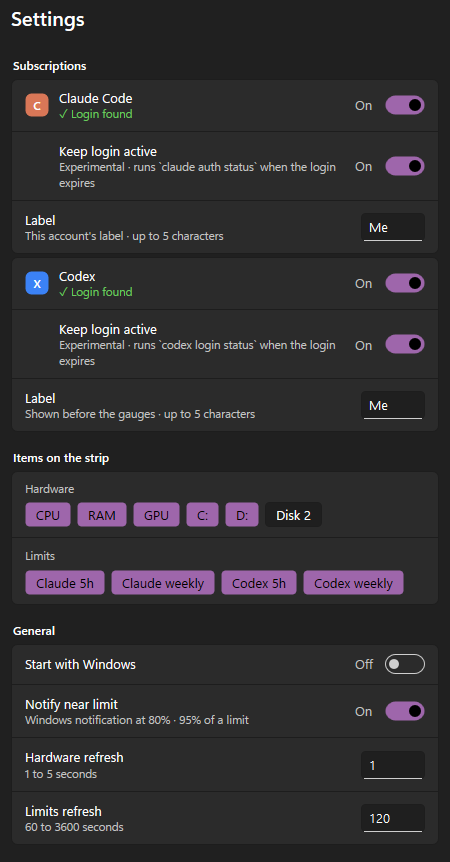
claude-codex-taskbar.exeto a permanent folder and run it. - In Settings, keep the Codex switch on. Turn Claude Code off if you only use Codex.
- Right-click the strip → Start with Windows.
Reading the Codex gauge

- Codex 5h is the % used of the current 5-hour window; wk is the % used of the weekly window. They are the same numbers
/statusshows. - Hover the strip to see when each window resets, in your local time.
- Prefer to see what is left? Turn on Show remaining instead of used in Settings and the gauges count down instead.
- The tag before the gauges (
Meabove) is your label for the Codex account, so you can tell a personal login from a work one at a glance.
When you hit the limit
Once a window reaches 100%, Codex stops taking new requests on that account until the window resets; the weekly window can block you even when the 5-hour one still has room. Two habits help:
- Watch the weekly gauge, not just the 5-hour one: it resets far less often.
- Turn on quota alerts in Settings. CCT sends a Windows notification when Codex usage crosses 80% and 95% (both configurable), and stays quiet while an app runs in full screen or you are presenting.
How CCT reads Codex usage
- Read-only login. CCT reads the login the Codex CLI saved in
auth.jsoninside%CODEX_HOME%, or%USERPROFILE%\.codexwhen that variable is not set, and never writes it or refreshes its token. - Offline fallback. If the usage endpoint fails, CCT asks the installed
codexCLI for its rate limits, and as a last resort uses the newest limit the CLI recorded in its own session logs, if that window has not reset yet. - Honest errors. When nothing works, the gauge shows
—with the reason in the tooltip, never a fake0%. - Your label. A short tag such as
PorWsits before the Codex gauge in Codex blue, so you know which account the numbers belong to.
When the gauge shows —
CCT never shows 0% for something it could not read. Hover the — to see why:
- “Log in by running
codex login”: there is no Codex login for this Windows user. Sign in withcodex loginin a terminal on the same user, and check thatCODEX_HOMEpoints where you expect if you set it. - “Codex login expired — run
codex login”: the saved login is too old. Use Codex once, or runcodex login. The experimental Keep login active option in Settings can do this for you: when the login expires it runscodex login statusin the background, which sends no prompt and uses no quota. - A network error: the usage endpoint did not answer. CCT tries the installed
codexCLI and its session logs first, and retries on the next refresh.
Questions
Can CCT switch between Codex accounts?
Not yet. Switching works for Claude Code today; a Codex account switcher with the same rules (paid plans, manual only, encrypted locally) is on the roadmap.
Does it need an OpenAI API key?
No. It uses the ChatGPT login the Codex CLI already saved, the same one that carries the 5-hour and weekly limits.
Is CCT made by OpenAI?
No. CCT is an independent, MIT-licensed open-source project and is not affiliated with OpenAI.