Personal account or work account? See your Claude Code & Codex usage on the Windows taskbar
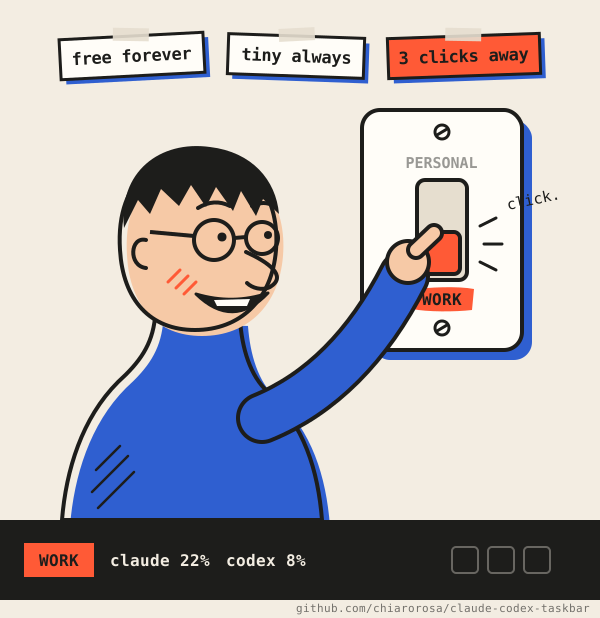
Always know which Claude Code / Codex account you are on, how much of its quota is left, and switch between your accounts in three clicks, right from your taskbar.
615 KB .exe · MIT license · zero telemetry · no installer · no admin rights
The strip lives in the left corner of the Windows 11 taskbar: account label, Claude and Codex gauges, then CPU, RAM, GPU and disks.
Three pillars
free forever
Free and open source, forever
MIT licensed. No paid tier, no account, no ads, no “pro” version. Ever.
tiny always
Tiny, with zero telemetry
One native .exe under 1 MB, written in Rust: no runtime, no installer, about 15 MB of RAM and near-zero CPU. Nothing about you or your usage ever reaches the maintainers.
3 clicks away
Switch accounts in three clicks
Right-click the strip → Claude account → pick one. No /logout, no /login, no restart. Every switch is a click by you, never automatic.
The problem
Many developers have more than one AI coding subscription: a personal Claude or ChatGPT plan and a work one paid by their company. In practice:
You never quite know which account the CLI is logged in to right now.
You find out you were on the wrong account only after spending its quota, or your employer's.
Switching means /logout, /login, a browser round-trip, and hoping you picked the right one.
The 5-hour and weekly limits are per account, so a number without the account behind it tells you little.
What CCT does
1
Shows the active account's usage
The 5-hour and weekly limits (% used, reset time) of the account logged in to Claude Code and to Codex, refreshed every 2 minutes. Limits belong to the account, so the numbers include the CLI, the desktop app and the web. How it works
2
Tells you which account is active
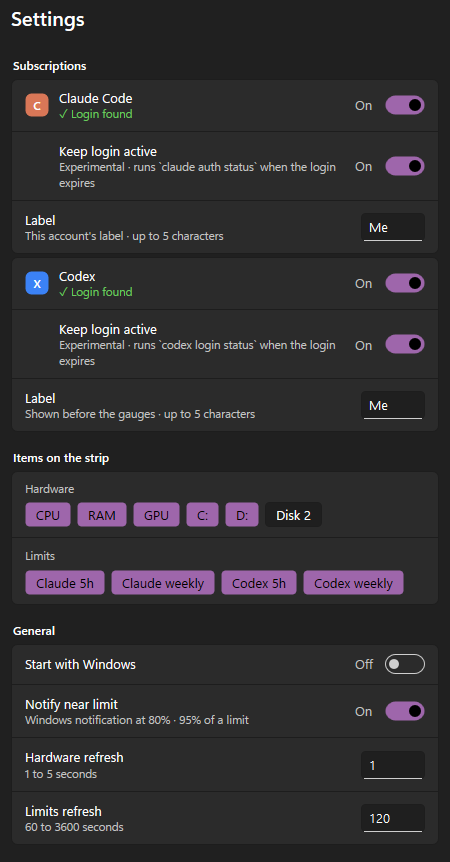
A short label of your choice (P for personal, W for work) sits before the Claude and Codex gauges, in each service's color. Each saved Claude account keeps its own.
3
Switches accounts in three clicks
Right-click the strip → Claude account → pick one. No /logout, no /login, no restart: Claude Code uses the new login on its next request. How switching works
Plus a CPU, RAM, GPU and per-disk monitor, opt-in quota alerts at 80% and 95%, light and dark themes, and English and Brazilian Portuguese.
Within Anthropic's and OpenAI's rules. CCT is a visibility and convenience tool, not a way around limits. It never switches accounts on its own, never rotates accounts when a limit is reached, never refreshes tokens itself, and only saves paid Claude plans (Pro, Max, Team, Enterprise) that are yours.
Install in a minute
Download claude-codex-taskbar-v0.4.3-x64.zip from the latest release and extract it.
Put claude-codex-taskbar.exe somewhere permanent, for example %LOCALAPPDATA%\Programs\claude-codex-taskbar\, and run it. No administrator rights needed.
Right-click the strip → Start with Windows.
Requirements: Windows 11 or Windows 10 (x64), and a logged-in Claude Code and/or Codex CLI on the same Windows user. Turn off the Windows Widgets button and keep taskbar icons centered: the strip lives in that left corner.
Releases are not code-signed yet, so SmartScreen may warn: More info → Run anyway. Check the file against SHA256SUMS.txt, or verify its signed build provenance:
How do I see my Claude Code and Codex usage limits on Windows?
Run CCT. The strip shows the % used of the 5-hour and weekly windows, the same numbers as /usage in Claude Code and /status in Codex, refreshed every 2 minutes. Hover for reset times.
How do I switch between my personal and work Claude Code accounts?
Save each login once (Claude account → Save current account), then switch with three clicks: right-click the strip → Claude account → pick one. Both must be paid plans. Claude Code uses the new account from its next request, without a restart.
Is switching accounts allowed by Anthropic?
CCT only does what you would do by hand with /logout and /login, for accounts that are yours, and only when you click. It never switches automatically or rotates accounts to get around limits. Make sure your use follows each provider's terms.
Does it need an API key or my password?
No. It reuses the login that the official claude and codex CLIs already saved on your PC.
Does CCT collect any data?
No. Zero telemetry: no analytics, no crash reports, no update checks. It only talks to the providers' own usage endpoints, for the providers you enable.
How much memory and CPU does it use?
Under 16 MB of memory and near-zero CPU, with no disk or network activity between limit refreshes.
Does it work on Windows 10, macOS or Linux?
CCT runs on Windows 11 and Windows 10 (x64), but on Windows 10 the strip stays hidden for now (issue #10). A macOS version is coming soon; Linux is not supported yet.
Is CCT an official Anthropic or OpenAI product?
No. CCT is an independent open-source project. Usage data comes from the same unofficial endpoints the official CLIs use; when they change, CCT shows an error (—) instead of wrong numbers, never a fake 0%.
Built in the open
CCT is made by one maintainer and a growing group of contributors. Bug reports, testing on your setup, translations and code are all welcome.